Construction Accounting Software for 2026: Features, Pricing & Integrations Compared


Construction without specialized accounting software is like trying to build without a drawing or a blueprint. You might get somewhere, but it’s going to be messy, stressful, and probably expensive.
Standard bookkeeping apps can track income and expenses, for sure, but construction accounting goes way deeper. Every job needs to be treated as its own financial entity, with its own costs, schedules, and moving parts.
Billing is also rather complicated as payments come in stages, in addition to progress milestones, retainage rules, and constant change orders.
In this blog, I’ll list some of the best construction accounting software options for 2026 that can handle construction businesses of different sizes.
Table of Contents
- Unique Features of Construction Accounting
- How The List Was Formed
- Top Construction Accounting Software for 2026
- Construction Accounting Software Comparison Table
- Best Practices to Sync Buildern with Accounting Software
- What to Consider When Choosing Accounting Software in 2026?

Unique Features of Construction Accounting
Before we explore specific platforms, let’s define what construction accounting is. It is not just regular accounting, as financial management mechanisms in a construction project are more complicated than in a retail shop or a consulting business. You need tools that actually understand how contractors work.
Traditional accounting software works perfectly fine for businesses with predictable revenue and simple transactions. Construction flow is quite different as general contractors deal with financial workflows that may pause due to certain conditions, restart, and change direction mid-project.
Construction accounting software has to handle things like:
- Project-based financials: Each job has its unique costs, timelines, and variables
- Job costing: Tracking labor, materials, equipment, and subcontractors down to individual cost codes
- Progress billing: Invoicing clients based on completion percentages
- Retainage management: Holding back a part of the payments until final approval of the project
- Multi-location tracking: Managing costs across different job sites with different material prices and labor rates
- Long-term contracts: Financial management lasts months or years instead of days or weeks in other industries
Try managing all of that in one platform, and you’ll immediately see why the construction industry needs purpose-built tools.
How The List Was Formed
To provide an objective and practical review, I first identified the must-have financial features contractors rely on on a daily basis. The list includes very popular tools among different types of contractors.
I researched contractors’ opinions across the most popular review platforms. However, this list does not include overall rating scores from Capterra or G2. The reason is that these platforms aggregate reviews from users (of QuickBooks or FreshBooks) across many industries, not just construction, which could make the scores less representative of contractors specifically.
When searching for accounting software, the first results often highlight general bookkeeping tools. However, for construction, they have peculiarities. Several criteria were taken into account in this review:
Different Business Segments: Some tools work best for sole proprietors and small residential builders, while others are designed for enterprise-level construction firms. Each recommendation was evaluated based on who it truly serves best.
Construction-Specific Capabilities: I assessed whether the software supports job costing by cost code, WIP reporting, certified payroll, progress billing, and retainage tracking.
Scalability Check: I evaluated if each platform could grow alongside a contractor, from managing a few jobs to handling multiple crews, entities, or locations.
Besides, there is also information regarding a free trial for every tool, as it is critically important for the contractor, especially for one who starts a business from scratch. I
Construction Accounting Software Reviewed
Now that we’ve established what makes construction accounting unique, let’s look at the platforms that actually can help contractors. I will list the best options for contractors in 2026.
QuickBooks
When contractors say QuickBooks, they rarely mean the same thing. Intuit has a family of products under the QuickBooks brand. The distinction matters as those are different products.
- QuickBooks Online (QBO) is a cloud-based version for small and medium-sized contractors.
- QuickBooks Desktop Enterprise is a desktop tool for larger firms with complex job costing
There is now a third player: the construction edition of the Intuit Enterprise Suite. It’s now available in open beta and positions itself as a tool for mid-market businesses.
In this review, we focus specifically on QuickBooks Online Advanced, the cloud-based product most contractors start with, as it is the version that integrates directly with Buildern.
Key Features
- Custom Reporting & Financial Statements: Build and customize balance sheets, profit & loss by job, and cash flow statements.
- Job Costing via Projects Module: Track labor, materials, and subcontractor costs by project.
- Progress Invoicing: Bill clients incrementally based on the percentage of completion or project milestones, rather than lump-sum billing at the end of a job.
- Accountant & Advisor Collaboration: You can invite your CPA or bookkeeper directly into the account, with full access to reports and transactions without exporting files.
- Integrations: QuickBooks integrates with 750+ apps (Buildern included).

However, it has drawbacks as well, like struggling with complex WIP reporting and retainage.
Recommended reading:
Pricing
QuickBooks Online pricing ranges from $38 per month for sole entrepreneurs for the Simple Start plan to $275 per month for the Advanced plan supporting up to 25 users. The platform also offers add-on services like Payroll, starting at $45/month.
The platform also offers add-on services like Payroll, starting at $45/month.
Free Trial: Available for 30 days
Tip: If your goal is to set up a tool with automated bank feeds and mobile field access, QuickBooks Online is the winner. However, if you are an industrial contractor managing heavy equipment and complex material inventories, QuickBooks Desktop Enterprise remains the only version to use.
Xero
Xero is a cloud-based accounting solution that is used by small and medium-sized construction businesses, especially for companies looking for a flexible, project-focused platform.
The software is especially popular in Australia/New Zealand and also in the UK. Its strong advantage is native, built-in compliance with local tax requirements, specifically supporting GST and CIS, as well as MTD VAT submissions (for UK contractors).
Key Features
Customizable Invoicing and Progress Billing: Create professional invoices with project details, line items, and cost codes.
Automated Bank Feeds and Reconciliation: Xero connects to over 21,000 financial institutions, importing transactions daily and suggesting matches between bank entries and existing invoices or bills.
Project Cost Tracking: Xero’s Projects module lets contractors assign expenses, bills, and time entries to specific jobs, giving a running view of budget versus actual spend.
Xero connects with over 1,000 third-party apps, including construction management software (Buildern included). However, there are some drawbacks. Xero cannot handle retentions or purchase orders natively.

Pricing
Xero has three main plans to fit different business needs. The strongest advantage is that the software offers unlimited user access, unlike QuickBooks, which limits the number of users by subscription tier.
The Starter plan starts at $29 per month, and the Standard plan costs $50 per month. For more advanced features, the Premium plan at $70 per month adds multi-currency support.
Free Trial: available for 30 days.
Tip: In terms of tech stack, Xero is a winner. However, to see true project profitability of your project, you must be prepared to integrate it with a third-party construction management app.
FreshBooks
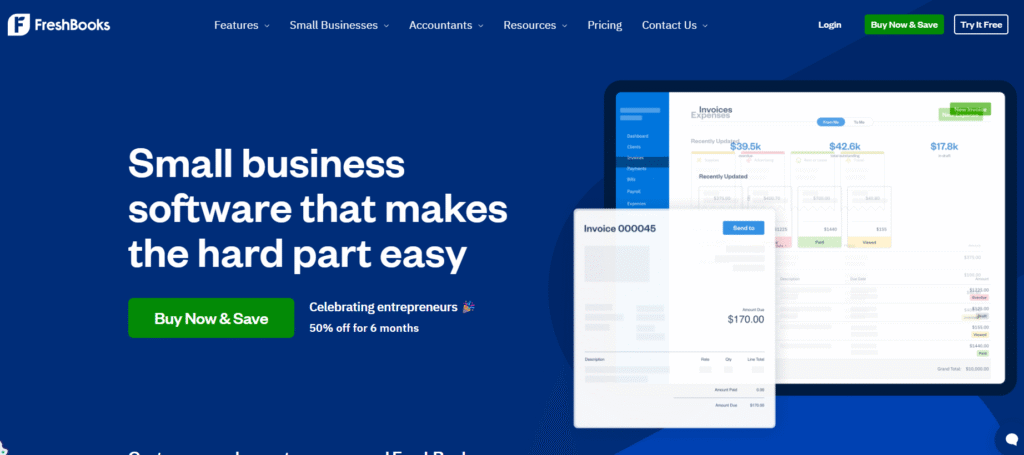
FreshBooks is a lightweight platform especially loved by small businesses and freelancers. It can be a surprisingly good fit for small contracting operations and is highly praised for its simplicity.
For instance, Forbes Advisor gives it 5 out of 5 in its rating of the construction accounting software.
FreshBooks is not made for huge corporations, but for businesses that want to stay organized, send invoices, and track expenses without needing a full accounting department.
Key Features
Estimates and Invoicing: Create and send estimates, convert them directly into invoices, and customize line items to reflect real job costs.
Time Tracking: FreshBooks includes built-in time tracking. You can track time by project or task and add it to a client invoice in one click, with no manual transfer needed.
Financial Reporting: FreshBooks covers the standard accounting statements — profit and loss, balance sheet, general ledger, and accounts receivable.

The reviewers of the software on G2 and Capterra praise first of all its intuitive design that requires no accounting background. This means it’s perfect for a solo trader, for example, but will not be a good fit for even mid-level contractors. It lacks AIA billing, WIP reporting, job costing by cost codes, and other construction-specific features.
Pricing
Less complicated functionality is compensated for by low prices. There are three plans: the Lite starts at $21 per month and is ideal for very small operations or solo contractors. The Plus plan, at $38 per month, builds on Lite by allowing up to 50 billable clients.
Free Trial: Available for 30 days
Tip: In terms of billing speed and client-facing professionalism, FreshBooks performs well. It is the ideal choice for trade professionals. However, be wary of the “per-user tax” at $11/mo per additional seat. The costs may escalate quickly if the team gets larger.
Sage 100 Contractor

Unlike other accounting software tools, Sage 100 Contractor is an ERP that focuses on the unique needs of construction businesses. It provides instant access to job costs, project details, and critical financial data.
Job costing, certified payroll, AIA billing, lien waivers, and WIP reporting are all built in. Besides, the ERP combines accounting, project management, estimating, and service management in a single system, eliminating the need for a separate app stack.
Key Features
Integrated Construction Accounting: The general ledger, accounts payable, accounts receivable, and financial reporting are purpose-built for construction.
Job Costing at Cost Code Level: Sage 100 Contractor provides strong job costing functionality.
Estimating with Direct Budget Transfer: A built-in estimating module integrates directly with job costing.
Certified Payroll and Prevailing Wage: One of the most important features is the capability to handle the complexity of construction payroll. Probably, this is a primary reason mid-size contractors choose it over QuickBooks.
AIA Billing and Lien Waiver Tracking: Specialized billing modules support AIA (G702/G703), time and materials, progress billing, and retainage natively.
The depth of features and robust complexity means the initial setup and training are significantly longer and more intensive. It requires experienced users or dedicated consultants.
Pricing
Pricing for Sage 100 Contractor is not listed publicly and requires contacting a representative for a quote. There is no “pricing” selection on the website, urging users to fill in a request for information.
According to expert and user reviews, it’s too expensive and will hardly fit small businesses.
Free Trial: Not available
Tip: If your goal is total operational control and audit-readiness, Sage 100 Contractor is the winner. The opposite side of full control is a long setup period that may last up to 3 months and more.
Zoho Books
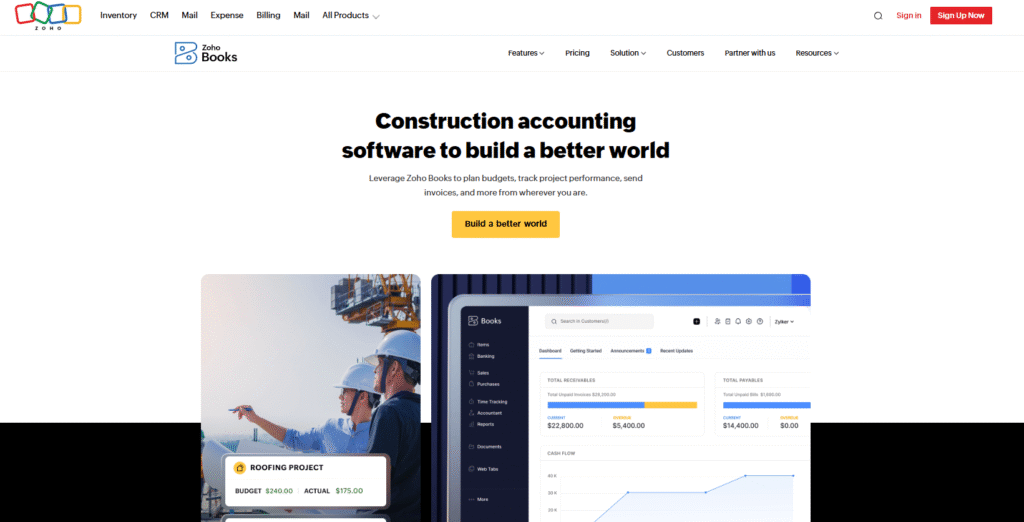
Zoho Books is one of the only accounting platforms to offer a truly free plan, and its paid tiers remain among the most affordable on this list.
However, its functionality is limited by user caps on every plan. Features beyond accounting, like payroll, CRM, and project management, require additional fees and third-party solutions.
Key Features
Invoicing and Estimates: Create and send customizable invoices and estimates with a dedicated client portal where clients can view, approve, and comment on documents.
Automated Bank Reconciliation and Expense Tracking: Zoho Books connects to bank accounts for automatic transaction imports and expense recording.
Payables Calendar: A built-in bill payment calendar gives contractors a visual overview of upcoming payments and cash flow.
Reporting and Analytics: Zoho Books covers the standard set: profit and loss, balance sheet, cash flow, and expense reports.

What sets Zoho apart from tools like FreshBooks or Xero is that it sits inside a broader ecosystem. Zoho offers a vast suite of applications, for example, for CRM, payroll, etc. This means the user has to rely on the ecosystem rather than an integration network, like in the case of Xero.
For contractors already using Zoho products, Books integrates seamlessly with Zoho CRM, Zoho Projects, Zoho Payroll (in supported regions), and Zoho Inventory.
Pricing
Zoho Books offers a free plan that supports limited users but allows some important features.
Paid plans start with the Standard plan at $10 per month (as of May 2026), adding progress invoicing and retention payments. The Professional plan costs $20 per month and supports up to 5 users.
The Premium plan costs $30 per month, which is one of the most affordable options on my list.
Free Trial: Available for 14 days.
Tip: It’s a winner for those using one of the tools of Zoho ecosystem but for those relying on a variety of construction apps, it may be more restrictive compared to software like Xero.
FOUNDATION Software
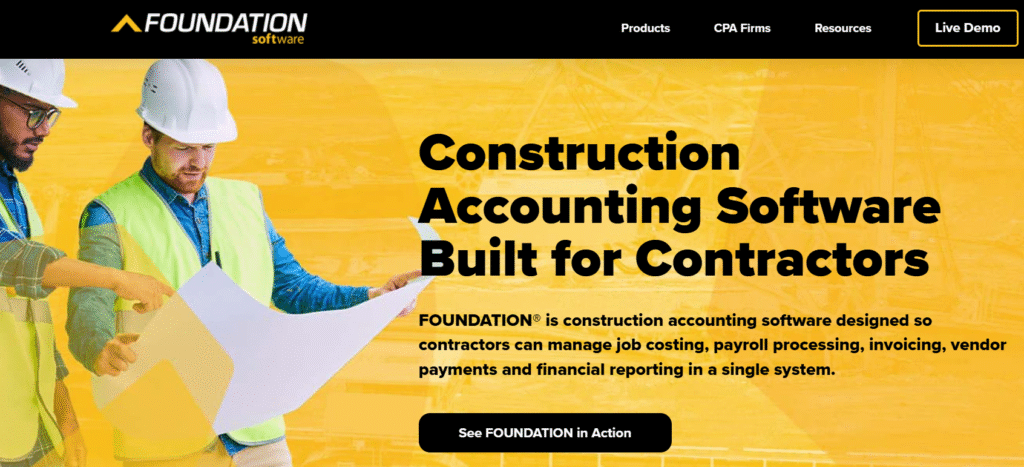
FOUNDATION competes head-to-head with platforms like Sage 100 Contractor. Unlike Zoho Books or QuickBooks, which are adapted for construction, FOUNDATION was built from the ground up for contractors. It targets contractors and subs doing government work.
Its strongest advantage is how naturally it handles construction-specific accounting, especially payroll and compliance.
Key Features
Integrated Construction Accounting: The general ledger, accounts payable, accounts receivable, and financial reporting are purpose-built for construction.
Job Costing at Cost Code Level: Sage 100 Contractor provides strong job costing functionality.
Estimating with Direct Budget Transfer: A built-in estimating module integrates directly with job costing.
Certified Payroll and Prevailing Wage: One of the most important features is the capability to handle the complexity of construction payroll. Probably, this is a primary reason mid-size contractors choose it over QuickBooks.
Inventory and Material Management: It offers real-time control over stock levels, material orders, quantities, pricing, and locations.
The depth of features and robust complexity, however, means the initial setup and training are significantly longer and more intensive. It requires experienced users or dedicated consultants.
Pricing
Foundation doesn’t offer a fixed, public price; instead, its pricing is modular. You pay for the specific modules you need, such as job costing and payroll.
Users can also add other modules like mobile time tracking, project management, equipment management, or service dispatch as needed.
Free Trial: Not available
Tip: FOUNDATION is considered significantly more powerful than general tools like QuickBooks or Xero. Its payroll module, in particular, is specialized for trades (unlike broad ERPs like Sage for the entire business lifecycle).
NetSuite

NetSuite is a full enterprise resource planning platform that covers financials and project accounting, HR, CRM, inventory, and supply chain. It is developed by Oracle and is not a specific construction tool.
The software scales well and is strong for multinational or multi-entity businesses that need accounting and consolidation across subsidiaries in multiple countries and currencies.
Key Features
Job Costing Across the Full Project Lifecycle: NetSuite’s general ledger lets construction accountants tag every transaction with job, cost code, and phase.
Multi-Entity Financials: This is NetSuite’s defining strength on this list. It handles consolidated reporting across multiple subsidiaries, business units, and legal entities.
Enterprise-Level Security: NetSuite includes encryption, role-based access controls, and mandatory password requirements. This matters for companies having government and infrastructure projects.
Reporting: It has customizable dashboards, real-time field-to-office visibility, and a data warehouse for deeper analysis.
Pricing
NetSuite uses annual subscription pricing, but there are publicly listed rates. The license is made up of three components: the core platform, optional modules, and the number of users. A one-time implementation is also available.
Free Trial: Not available.
Tip: It’s a strong option for contractors managing multiple entities, large project portfolios, or complex financial workflows.
Construction Accounting Software Comparison Table
| Software | Best For | Key Strengths | Integrations | Price |
| QuickBooks | Small and medium-sized businesses | Ease of use, all-in-one financial management features | ✔️Strong (Buildern included) | $38/mo – $275/mo (Online), $2,210+/yr (Enterprise) |
| Xero | Small and medium-sized businesses | Multi-currency, intuitive mobile app, unlimited users on all plans. | ✔️Strong (Buildern included) | $29-$70/mo |
| FreshBooks | Solo contractors and small teams | Simplicity, user-friendly design, fast invoicing. | ✔️Limited, not with construction management software | $21/mo – $65/mo |
| Sage 100 Contractor | Mid-sized and large contractors | Native estimating, advanced AIA billing, unified system. | ✔️Yes | Custom pricing |
| Zoho Books | Startups and Small Teams on a Budget | Highly affordable paid plans, free tier, customizable invoicing. | ✔️Mostly Zoho ecosystem | $12- $36/mo |
| FOUNDATION Software | Heavy Contractors | Advanced payroll, strong job cost accounting | ✔️Yes | Custom modular pricing |
| NetSuite | Growing and enterprise-level contractors | Comprehensive ERP, multi-entity support | ✔️ Good (ERP integrations) | Custom pricing |
Best Practices to Sync Buildern with Accounting Software
Picking the right accounting software is only half the equation. The other half is making sure it actually connects to how you manage your projects day-to-day. Most accounting platforms track what happened financially. They don’t tell you why costs shifted and why a delayed task is affecting your margins. By syncing Buildern with QuickBooks and Xero, you solve this problem.
Buildern integrates with both QuickBooks and Xero through a true two-way sync, meaning data flows in both directions automatically. Invoices, bills, payments, cost codes, vendors, and projects created in Buildern appear in your accounting platform instantly.
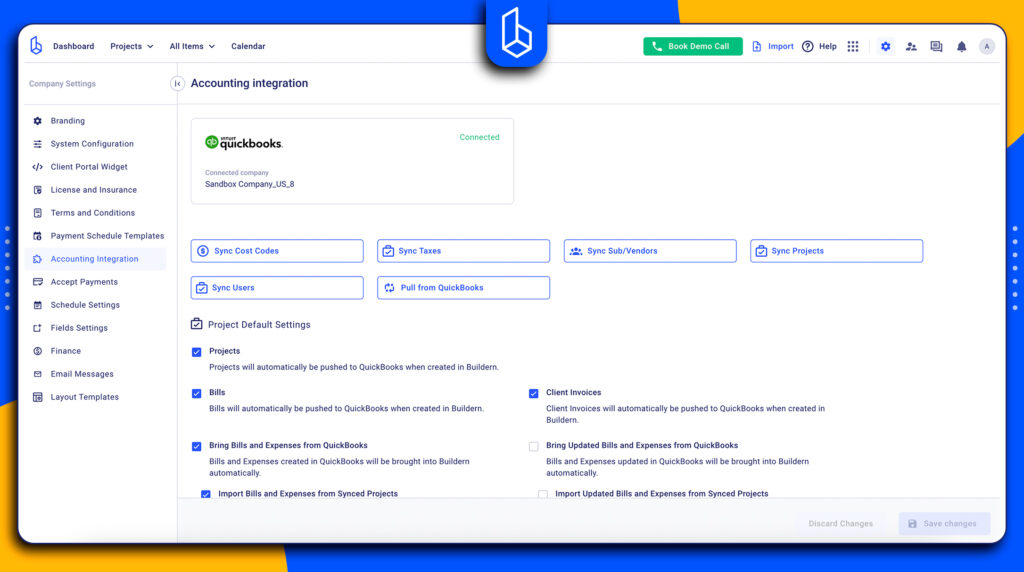
Any updates made on the accounting side sync back into Buildern. This means you have no manual re-entry and no mismatched records.
What Gets Synced:
- Client invoices and progress billing
- Subcontractor and supplier bills
- Payments recorded on either platform
- Cost codes
- Vendors and subcontractor contacts
- Projects and budgets
Both sides see the same numbers in real time, which means the project manager can make decisions based on the actual figures, and there are no more discrepancies.
Recommended reading:
Here are a few practices to get the most out of the integration:
Sync Early: Connect your accounting software when you set up a new project, not after the fact. Starting clean eliminates reconciliation work down the road.
Align Cost Codes: Reconcile your cost codes across both platforms from the start. Consistent cost codes are what make your financial reports actually meaningful.
Train Teams: Let project managers work in Buildern, and accountants work in QuickBooks or Xero, the sync handles the rest. There’s no need for either team to work with an unfamiliar tool.
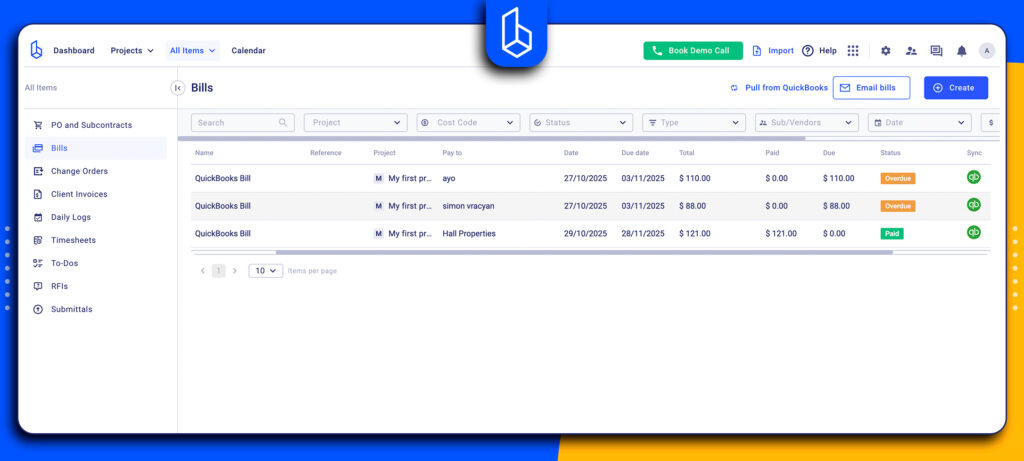
Automate Bills: Use Buildern’s AI-powered bill scanning to capture vendor invoices and receipts automatically, so bills hit your project budget and accounting platform without manual entry.
What to Consider When Choosing Accounting Software in 2026?
Choosing the right accounting platform is less about finding the “best” one overall. It’s essential to find the one that perfectly fits the size and complexity of your jobs.
For sole proprietors, freelancers, or very small teams, the focus should be on simplicity and cash flow. It’s fair to say that QuickBooks and Xero are construction accounting software that integrate with many third-party apps.
- Best for small contractors and sole operators will benefit most from simple, flexible tools like FreshBooks, Xero, or QuickBooks Online.
- Best for mid-sized companies that need deeper job costing and reporting, consider QuickBooks Enterprise, Xero with integrations, or Zoho Books Premium.
- Best for large contractors who require detailed project controls, certified payroll, and enterprise-level financial visibility, will get the most value from Sage 100 Contractor, FOUNDATION, or CMiC.
A few other factors worth considering:
- Region matters. Xero is traditionally more popular in Australia, New Zealand, and the UK as it complies with the taxation practices, etc.
- Integration ecosystem. If you rely on a construction project management platform, QuickBooks and Xero offer the broadest integration options, including with Buildern.
- Don’t over-buy. A $20M ERP implementation for a $3M residential contractor is a costly mismatch. Close the gaps with the tools you have before jumping to a full platform switch.
To sum up, the best software is the one that fits your business today but gives you room to expand tomorrow. Consider the size of your projects, the number of users, your reporting needs, and integration requirements.

What is Construction Accounting Software?
Construction accounting software a specialized financial platform built specifically for the building industry. It tracks financial data by individual project rather than just by department or the company as a whole. It links scheduling and material costs directly to the general ledger.
What is ERP in Construction?
In construction, an ERP is an all-in-one software ecosystem that manages the entire lifecycle of a business. It connects accounting with project management, payroll, equipment tracking, HR, bidding, and supply chain management into a single database.
How Does Construction Accounting Differ from Regular Accounting?
Construction accounting differs from regular accounting because it is project-based and must track costs, revenue, and profitability for each individual job. This makes job costing and real-time financial tracking essential for contractors.
What is the Best Construction Accounting Software?
There is hardly any single “best option” as the contractor has to choose based on the project volume, pricing that is affordable for this particular business, and workflow specifics.